Your client's side
How clients see their project page
The project page is a simple web page about one engagement that your client can open from a note. They don't need an account or a password. Flow emails them a short code instead.
What it's for
Your client can look back over everything that has happened on their project, whenever they like. You don't need to send them a report.
Last updated
What your client does
- They click "See the full picture" at the bottom of a note.
- They type the address the notes come to under "Your email".
- They click "Email me a code".
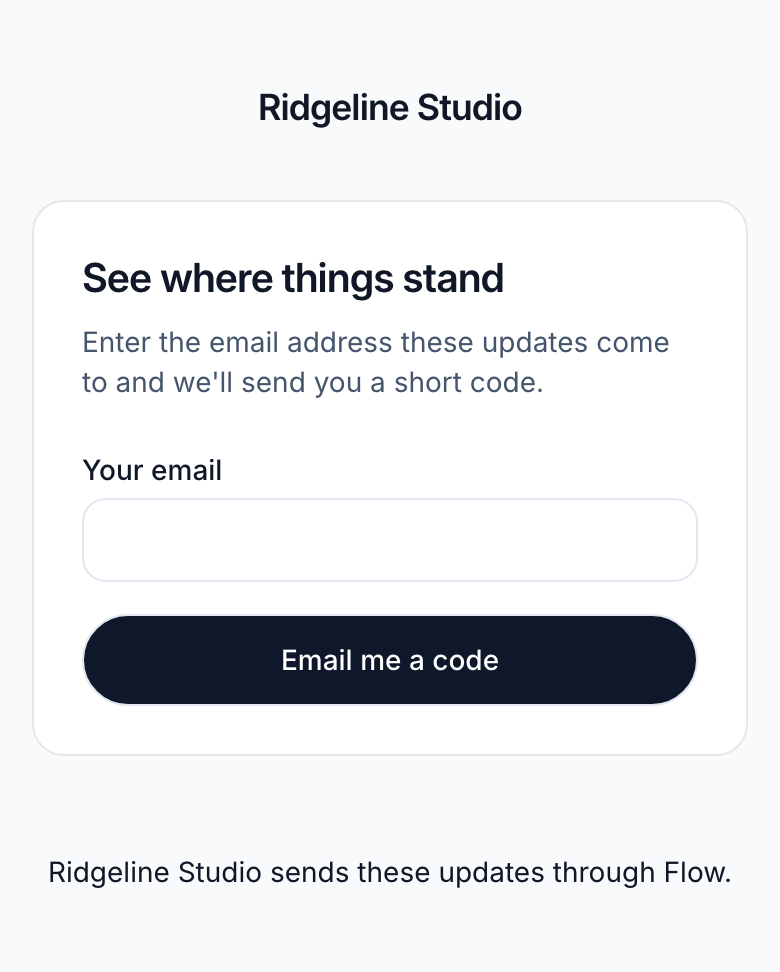
- They open the email with their code. It's 6 characters long.
- They type it under "Your code". Capitals don't matter.
- They click "See the update".
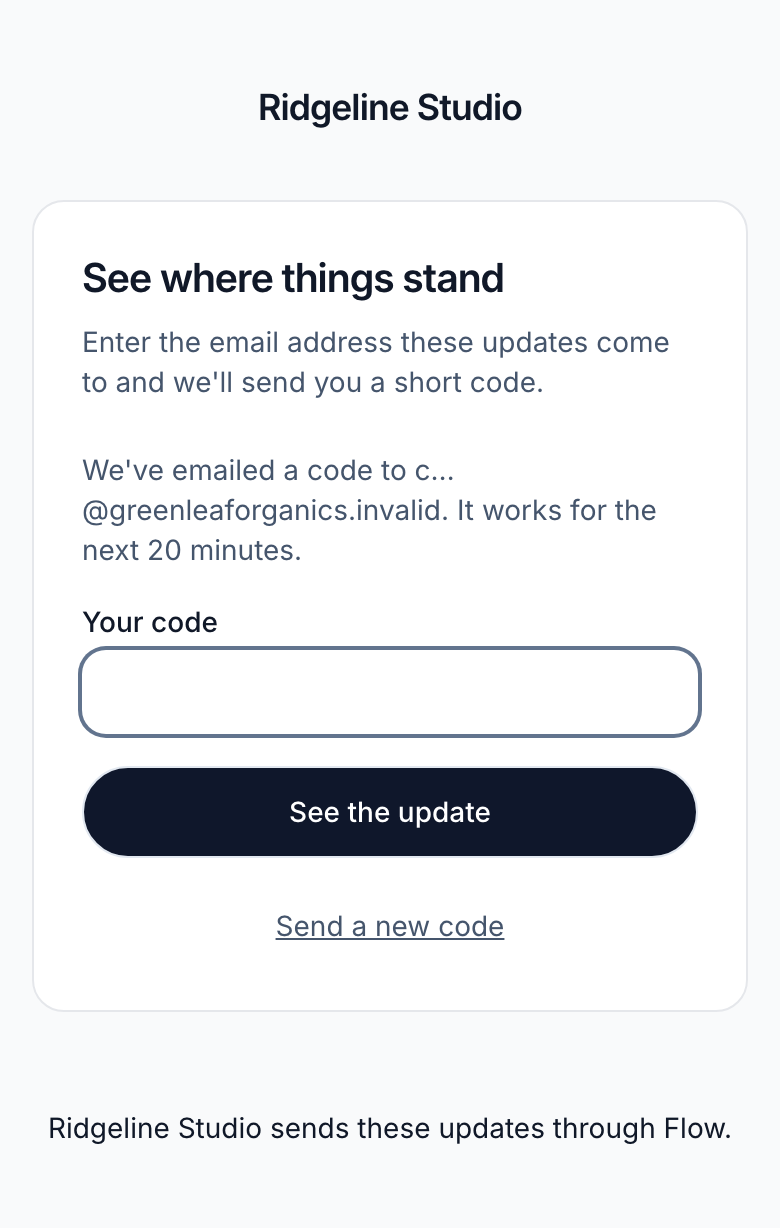
A code works for 20 minutes, and allows five tries. Once they're in, they stay in on that device for 14 days.
Only people on the engagement's recipient list get a code. Someone you removed, or who stopped the notes, doesn't.
What they see
The page shows the project's title and summary. Under "What's happened" are your updates, each with its date. Only updates that have already gone out in a note appear there.
Any invoices still owed are listed under "Invoices", with the amount and due date. Your client can only read the page. They can't change anything on it.
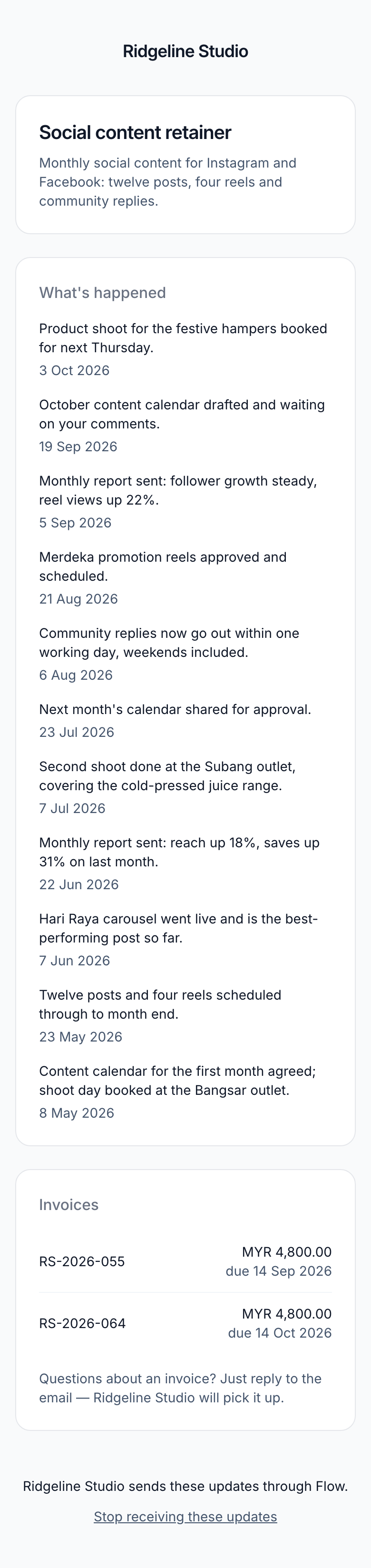
They never see a way to pay on this page, your payment link, or any other project. The top shows your agency's name, not Flow's.
Give a client a code yourself
Some company email systems hold messages for several minutes. If your client is waiting, you can get a code for them.
- Open the engagement and click "Cadence".
- Under "Read a code out to someone", choose the person.
- Click "Show a code".
- Read the code to them, or send it to them yourself.
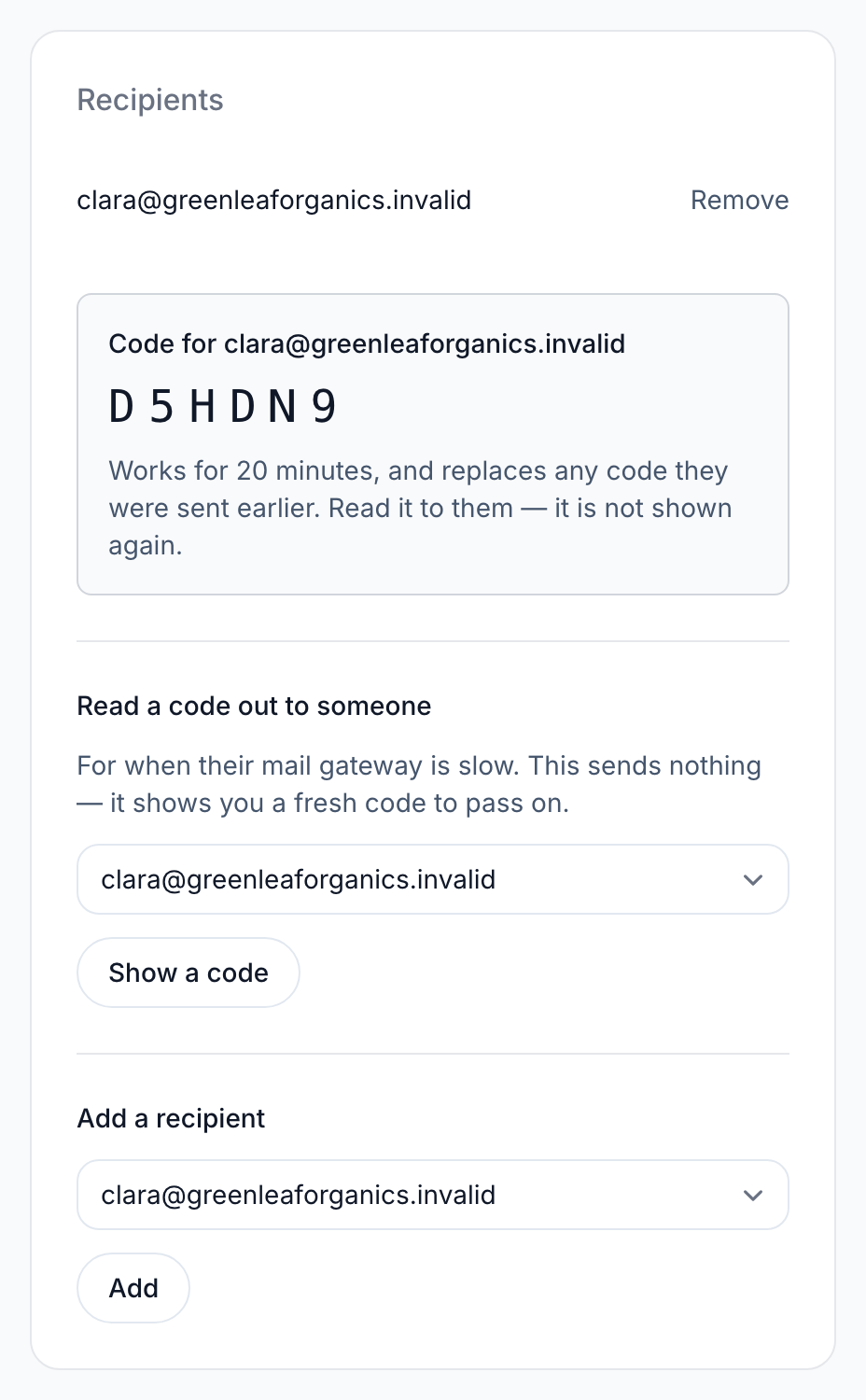
The code works for 20 minutes. It replaces any code they were emailed earlier. Flow doesn't email it, and it isn't shown again once you leave the page.
If the code didn't work
Every problem with a code gets the same message: "That code didn't work. Request a new one and we'll email it to you." It looks the same if the code was mistyped, too old or used up. That stops strangers guessing who your clients are.
- Ask your client to click "Send a new code".
- Ask them to enter their email again and click "Email me a code".
- If the new code is slow too, give them one yourself.
Related
-
Received a note sent with Flow?
For your clients: what the note is, and how to see more or stop it.
-
When notes go out
Set how often each client gets a note, and who receives it.
-
Updates
Tell the client what moved, in a sentence or two.
Still stuck? Email marshal.yung@gaiaco.io.