Account
Plans and billing
Every Flow plan has every feature. The only difference is how many engagements you can run at once. You manage your plan and card on the Billing page.
What it's for
Use it to pick the plan that fits your workload, keep your card up to date, and stop or restart your subscription.
Last updated
Who can do this: Owners only. A member who opens Billing sees "You don't have access to this".
The plans
| Plan | Monthly | Yearly | Active engagements |
|---|---|---|---|
| Starter | $49 / month | $490 / year | 10 |
| Studio | $99 / month | $990 / year | 30 |
| Agency | $249 / month | $2,490 / year | Unlimited |
An engagement is one client project or retainer. It counts as active while it's in progress. It stops counting once its final invoice is marked paid and nothing else on it is owed. It also stops when you mark it completed, cancelled, on hold or archived.
Going over your limit breaks nothing. You can still add engagements. The newest ones over the limit stop sending notes until you move up a plan or close an engagement.
Every plan includes unlimited clients, team members and recipients. Prices are in US dollars, and any sales tax or VAT is added at checkout.
See your plan
- Click "Billing" in the top bar.
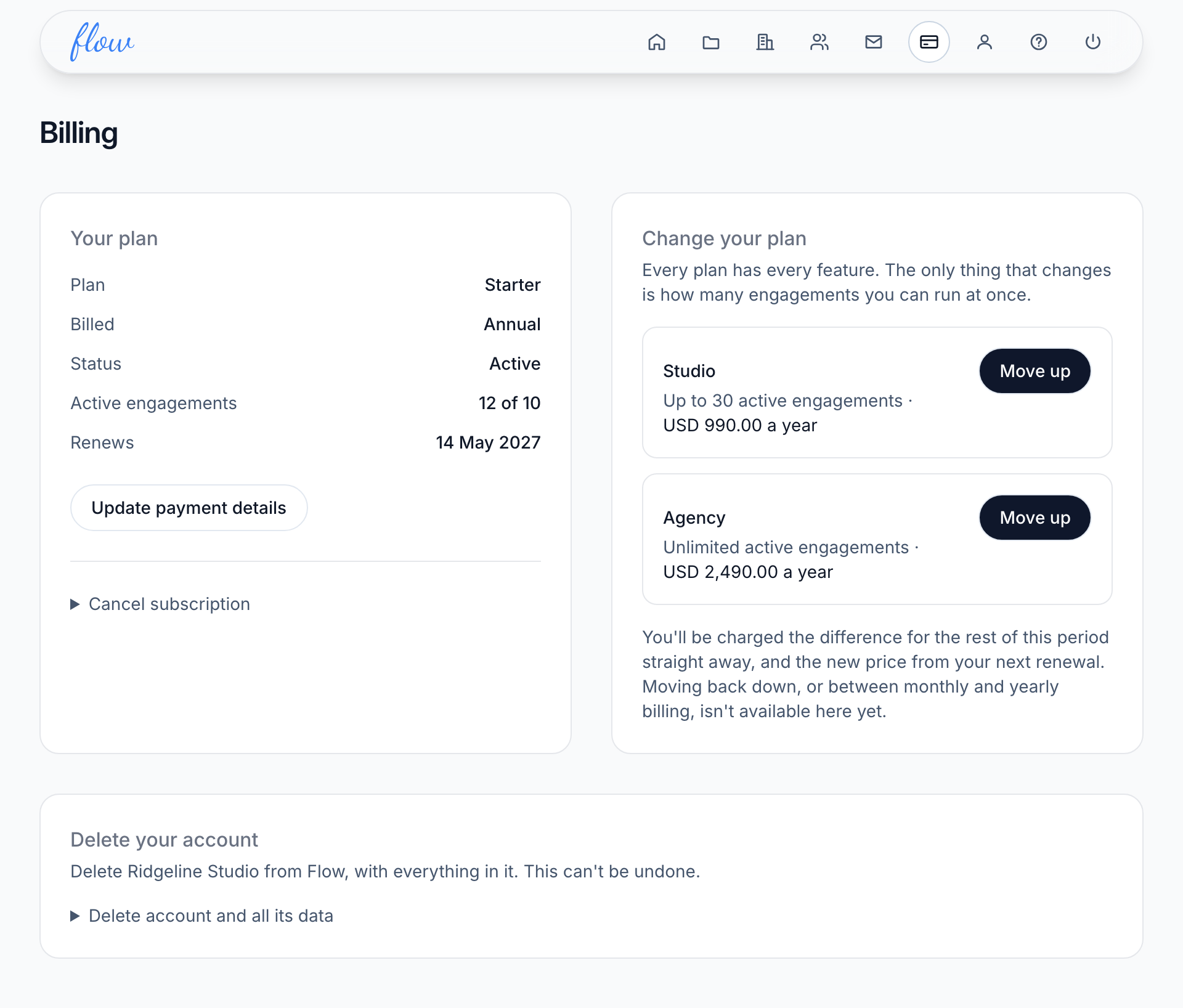
- Read "Your plan". It shows your plan, how often you pay, its status, your active engagements against the limit and when it renews.
Choose a plan
You choose a plan when you first sign up, and again if your subscription has ended.
- Click "Billing" in the top bar.
- Under "Choose your plan", click "Yearly" or "Monthly" if both are shown.
- Click "Choose" beside the plan you want.
- Enter your card details on our payment provider's page.
- Wait on the Billing page until it says you're subscribed. It usually takes under a minute, so reload the page if it hasn't changed.
Your first subscription starts with a 14-day free trial, and the first payment comes when it ends. You can cancel any time before then.
Move up a plan
- Click "Billing" in the top bar.
- Under "Change your plan", click "Move up" beside the bigger plan.
The new plan starts straight away. You pay the difference for the rest of the current period now, and the new price from your next renewal. Our payment provider emails you a receipt.
Moving down, or changing how often you pay
Flow can't move a live plan down, or switch it between monthly and yearly, yet. The only way to change either is to cancel and choose again once your plan has ended.
Think before you do this. Between the end date and your new choice, Flow is closed and your clients' notes stop. You're charged as soon as you choose again, with no second free trial.
Update your card details
- Click "Billing" in the top bar.
- Click "Update payment details".
- Change your card on our payment provider's page.
Flow never sees your card. The payment provider's page opens fresh each time you click, so there's no saved link to it.
If a payment fails
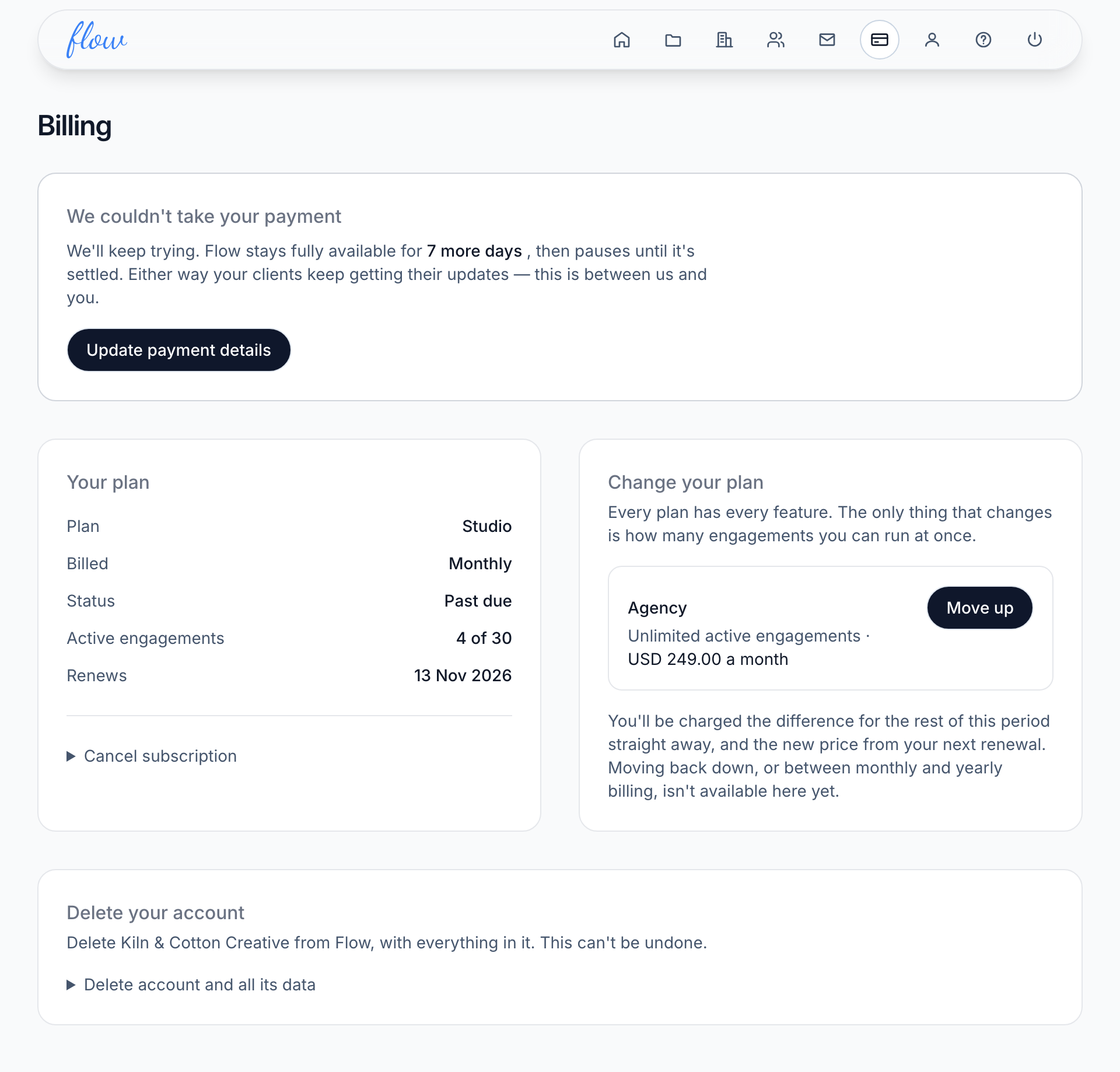
A notice appears at the top of every screen, starting "We couldn't take your payment". It counts down the days until Flow pauses. Billing shows the same message with a button to fix it.
- Click "Update payment" in the notice, or open Billing.
- Click "Update payment details".
- Change your card on our payment provider's page.
Members see the notice too, with "An account owner can sort this out." in place of the link.
If the countdown runs out, every screen except Billing shows "Your subscription needs attention". Click "Update payment" there, then follow the steps above. See If something in Flow looks wrong.
Resume a paused subscription
If our payment provider pauses your subscription after a failed payment, Billing shows "Your subscription is paused".
- Click "Billing" in the top bar.
- Click "Update payment details" and change your card, if it has changed.
- Back on Billing, click "Resume my subscription".
- Wait about a minute, then reload the page.
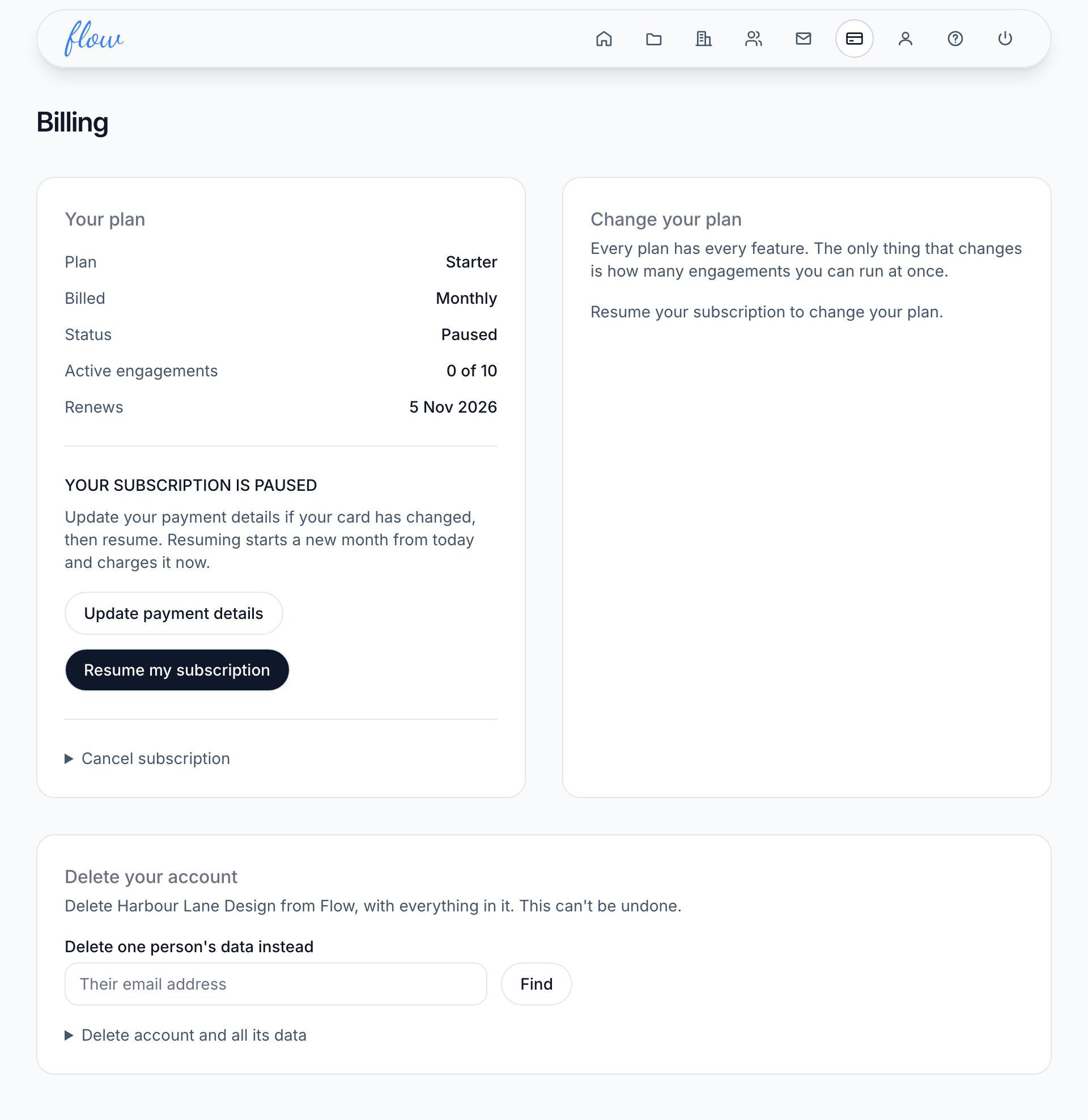
Resuming starts a new month or year from today, and charges for it now. You can't change your plan while it's paused. Resume first, then move up if you need to.
How long you have after a failed payment
After a failed payment, Flow stays fully available for 10 days while we keep trying your card. After that, Flow pauses until the payment is settled.
Your clients keep getting their notes the whole time, even while Flow is paused. This is between us and you, so your clients won't notice.
Cancel your subscription
- Click "Billing" in the top bar.
- Under "Your plan", click "Cancel subscription".
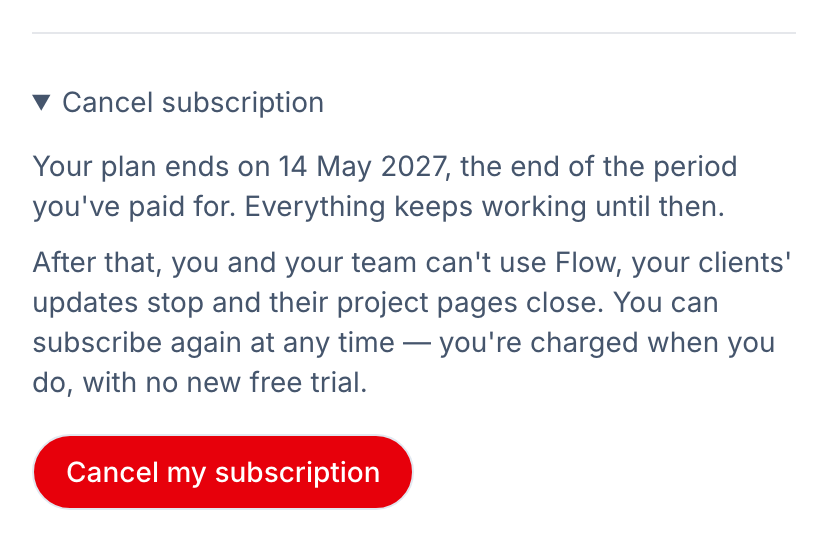
- Read when your plan ends and what stops.
- Click "Cancel my subscription".
- Wait about a minute, then reload the page to see the change.
When it ends depends on where you are:
- During the free trial, it ends when the trial does, and you're not charged.
- On a paid plan, it ends at the end of the period you've paid for. Everything keeps working until then.
- After a failed payment, it ends straight away, and the payment that failed won't be taken.
- While your subscription is paused, it ends straight away.
Once it ends, you and your team can't use Flow. Your clients' notes stop, and their project pages close.
Keep your plan instead
Changed your mind? You can undo a cancellation until the end date.
- Click "Billing" in the top bar.
- Under "Your plan", find the line that says when your plan ends.
- Click "Keep my plan".
- Wait about a minute, then reload the page.
Your plan then renews as normal. While a plan is set to end, you can't move it up. Keep it first.
Start again after cancelling
Once your subscription has ended, Flow takes you to Billing, which says "Your subscription has ended". Your engagements, clients and history are kept for a year after the end date, then deleted.
- Under "Choose your plan", click "Yearly" or "Monthly" if both are shown.
- Click "Choose" beside the plan you want.
- Pay on our payment provider's page.
Everything picks up where it left off, and your clients' notes start again. You're charged when you choose, because there's no second free trial.
Refunds
If Flow isn't working for you, ask within 30 days of your first payment and we'll refund it. See the Refund Policy.
Related
-
Engagements
Add an engagement, change its status, archive it and find it again.
-
If something looks wrong
What Flow's warning and error pages mean, and how to get going again.
-
Deleting data
Delete one contact, or your whole account, and what Flow keeps.
-
Team
Invite your team, and what owners and members can each do.
Still stuck? Email marshal.yung@gaiaco.io.