The note
How reminders get firmer
As an unpaid invoice gets older, the note asks for payment more firmly. The wording changes at 14 days overdue, and again at 30. Flow never adds a fee.
What it's for
Late invoices get chased in a sensible tone without you writing awkward emails yourself.
Last updated
The three tones
Firmness is how firmly a note asks to be paid. There are three tones. Here is what Flow writes at each, for a sample agency, project and invoice.
| Tone | When | Subject line | What the note says about money |
|---|---|---|---|
| Neutral | Nothing owed, or less than 14 days overdue | "Ridgeline Studio — Website rebuild: where things stand" | "For reference, USD 4,200.00 is currently outstanding." |
| Firm | 14 days overdue or more | "Ridgeline Studio — Website rebuild: an update, and a payment reminder" | "On the invoicing side, invoice RS-1042 is 16 days past due, with USD 4,200.00 outstanding in total. Could you let us know a payment date?" |
| Final | 30 days overdue or more | "Ridgeline Studio — Website rebuild: an update, and an outstanding invoice" | "On the invoicing side, invoice RS-1042 is now 34 days past its due date, and USD 4,200.00 is outstanding in total. Could you let us know when it will be paid, or tell us if something is holding it up?" |
At every tone, the note starts with what has moved on the project. What's owed comes after that.
Which invoice sets the tone
The most overdue unpaid invoice on the engagement sets the tone. One very old invoice sets the tone, even if newer ones aren't due yet. Draft and void invoices don't count.
See how a late reminder will read
- Open the engagement.
- Click "See the next note".
- Read the "Firmness" box. It names the tone and the invoice behind it.
- Read the note itself to see the exact wording.
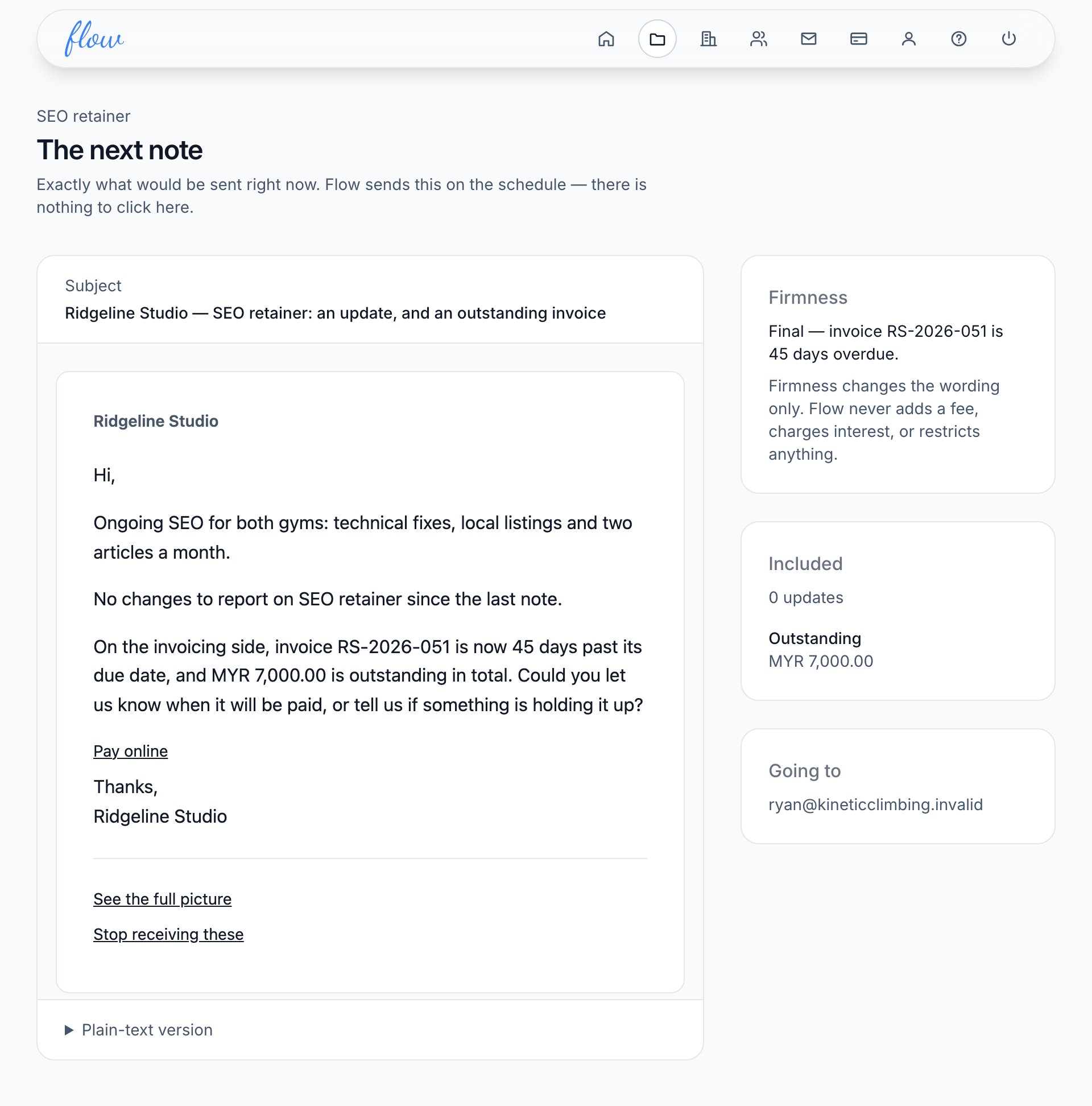
More about the preview is in Preview the next note.
What firmness never does
Firmness changes the wording and nothing else. Flow never adds a fee or charges interest. It never sets a deadline you didn't set, and it never stops any work because an invoice is late.
The payment link
You can add your own payment page in Account settings. A "Pay online" link then appears under what's owed in every note. It's the same at every tone.
Related
-
Invoices
Record what's owed, mark it paid, and close a project on its final invoice.
-
Preview the next note
See exactly what Flow would send right now, before it goes.
-
Note history
Every note sent, skipped or failed, and what happened to it.
Still stuck? Email marshal.yung@gaiaco.io.