Account
Deleting data
An owner can delete one contact and what Flow sent them, or delete the whole agency account. Both happen straight away and can't be undone.
What it's for
Use it when someone asks you to delete their data, or when you leave Flow for good.
Last updated
Who can do this: Owners only. Members don't see "Delete" beside a contact.
Delete a contact
A contact is one person at a client who can receive notes.
- Click "Clients" in the top bar and open the client.
- Under "Contacts", click "Delete" beside the person.
- Read what goes and what stays.
- Click "Delete contact". To go back without deleting, click "Keep them".
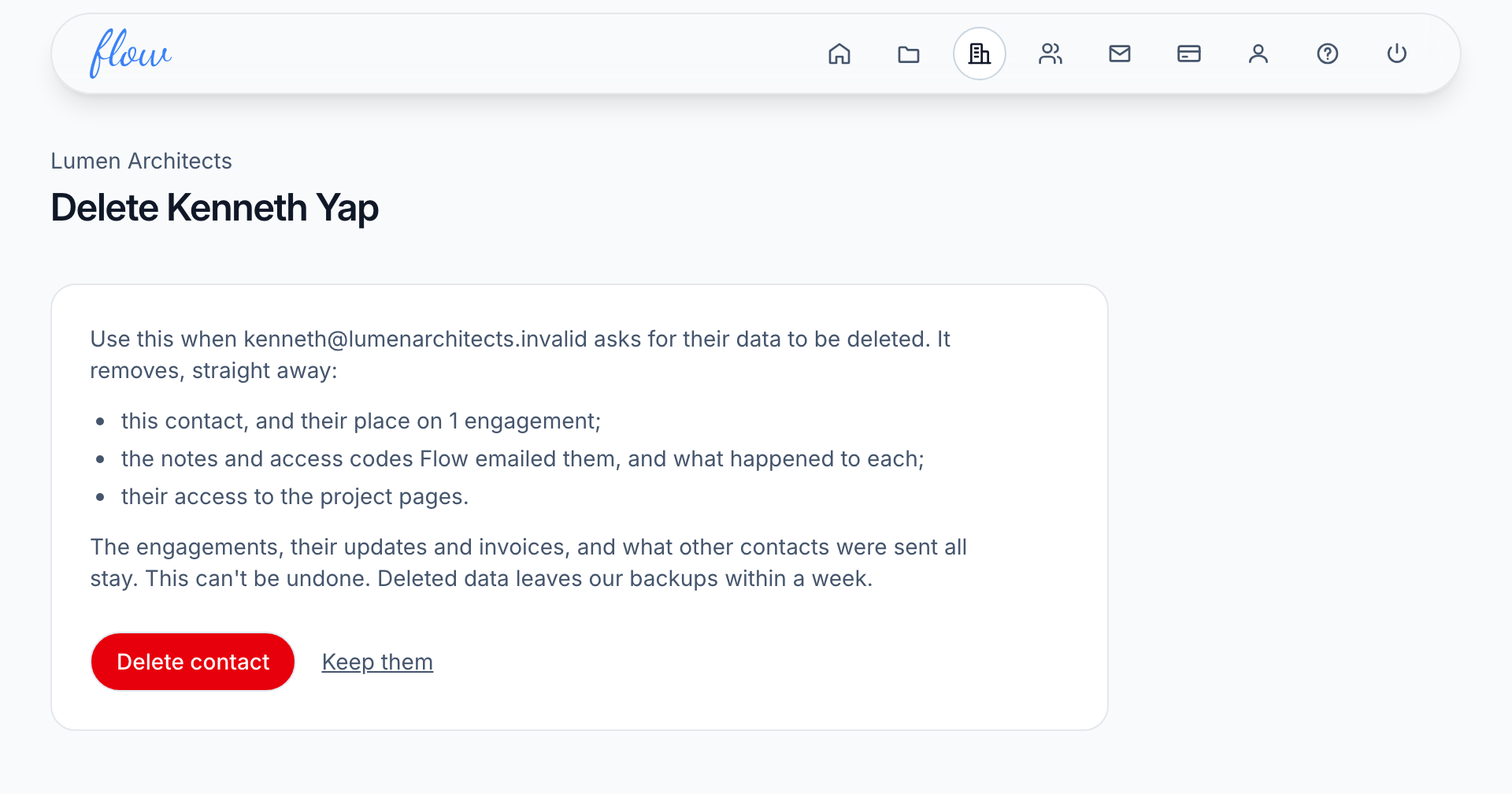
Flow removes these straight away:
- The contact, and their place on each engagement.
- The notes and access codes Flow emailed them, and what happened to each one.
- Their access to your project pages.
The engagements stay, with their updates and invoices. So does everything other contacts were sent.
Sometimes Flow won't delete the contact yet. That happens when they're the only recipient of an engagement that is active or on hold. The page lists those engagements instead of the button. Click each one, add someone else under "Add a recipient", then come back and delete the contact.
Delete a contact when Flow is closed to you
Once your subscription has ended, while Flow is paused, or before you've chosen a plan, you can't open your clients. Billing has a box for deleting one person's data instead.
- Click "Billing" in the top bar.
- Under "Delete your account", type the person's email address into "Delete one person's data instead".
- Click "Find".
- Click "Delete" beside the client they belong to.
- Click "Delete contact".
If Flow says "No contact in this account has that address.", check the spelling and try again.
While Flow is paused or has no plan, you can't delete someone who is the only recipient on an active or on-hold engagement. Flow lists those engagements instead of the button.
To delete them, update your card or choose a plan on Billing first. Then add someone else to each engagement listed, and come back. Once your subscription has ended, this doesn't apply.
Delete your account
- Click "Billing" in the top bar.
- Under "Delete your account", click "Delete account and all its data".
- Read the list of what's deleted.
- Type your password into "Your password".
- Type your agency name in the next box, exactly as the label shows it.
- Click "Delete everything".
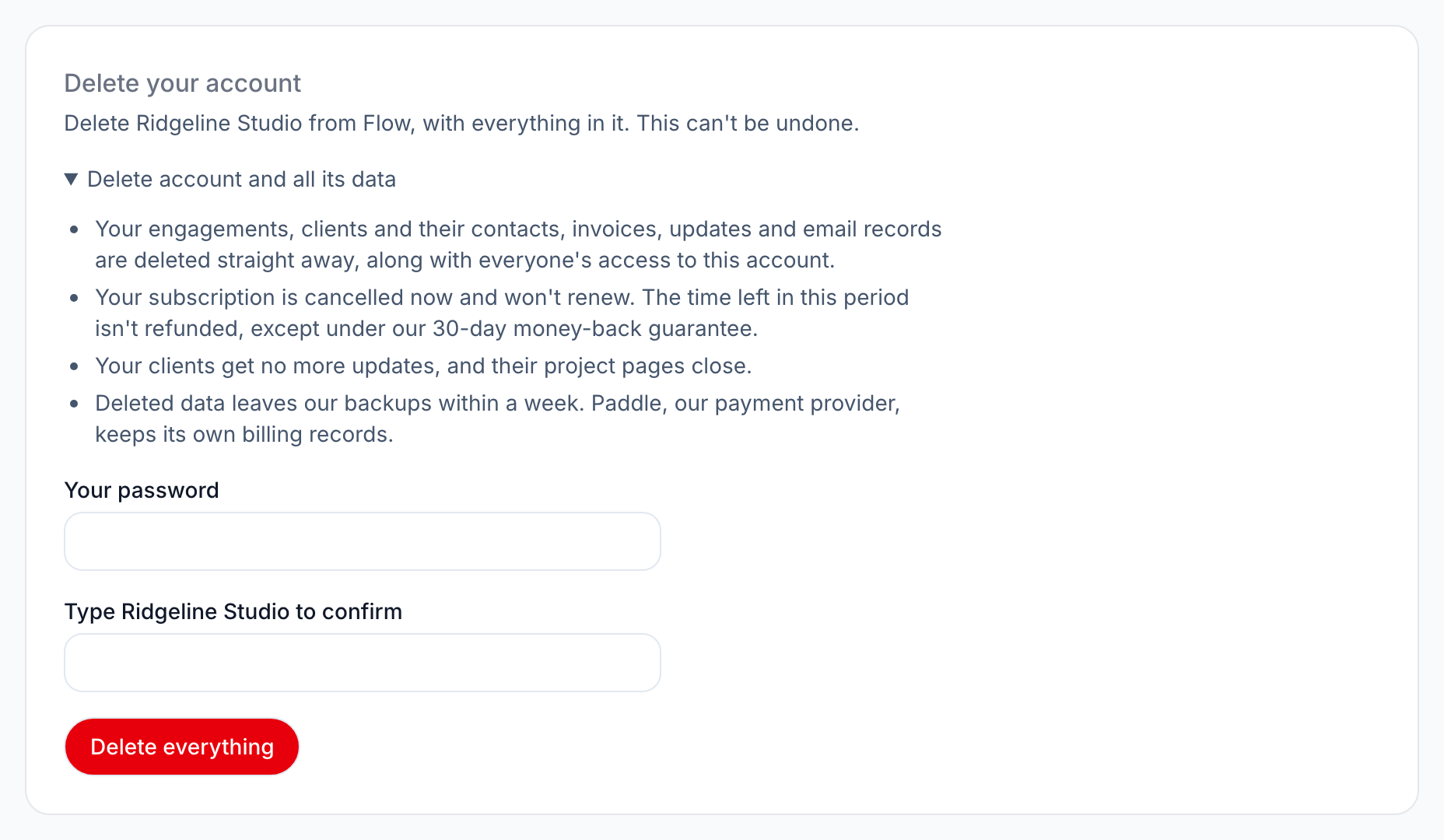
Your engagements, clients and their contacts, invoices, updates and email records are deleted straight away. Everyone on your team loses access.
Any subscription is cancelled now and won't renew. The time left isn't refunded, except under our 30-day money-back guarantee. Your clients get no more notes, and their project pages close.
Flow then shows the sign-in page with "Your Flow account and everything in it have been deleted."
It also emails your billing email to confirm.
If the password is wrong, Flow says "That password isn't right. Nothing has been deleted." Too many wrong tries and you'll need to wait a few minutes.
What Flow keeps, and for how long
- Deleted data leaves our backups within a week.
- Records of the email Flow sent are kept for a year, then deleted.
- A cancelled account is deleted a year after its subscription ended.
- Paddle, our payment provider, keeps its own billing records.
More in our Privacy Policy.
Related
-
Plans and billing
Plans and limits, upgrading, your card, failed payments and cancelling.
-
Clients and contacts
Add clients and the people who get the notes; see how fast each client pays.
-
When notes go out
Set how often each client gets a note, and who receives it.
Still stuck? Email marshal.yung@gaiaco.io.