The note
Preview the next note
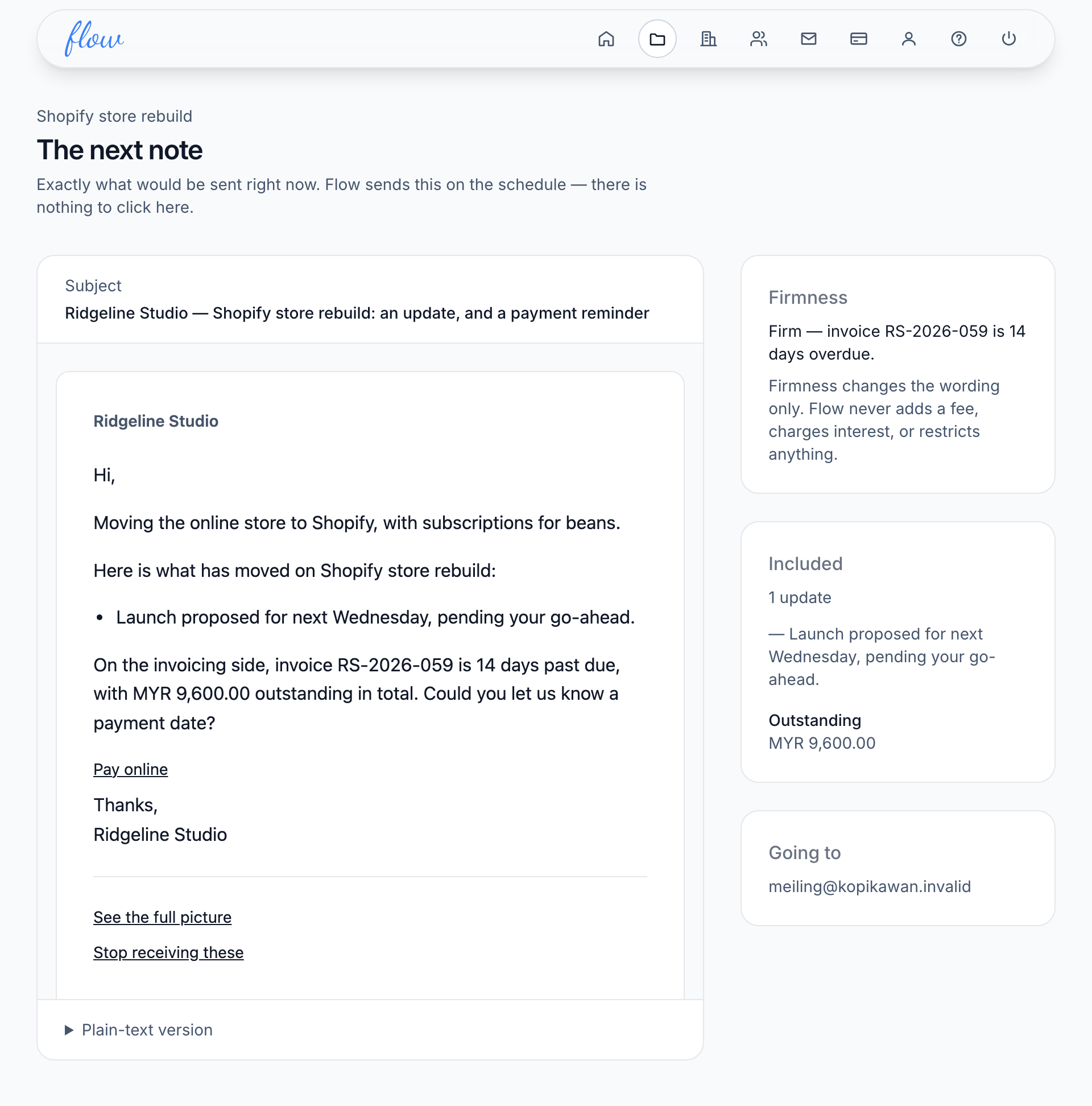
"See the next note" shows the note Flow would send to your client if it were due right now. Opening it sends nothing.
What it's for
Check what your client will read before it goes, and fix anything that's missing or wrong in time.
Last updated
Open the preview
- Open the engagement.
- Click "See the next note". The page is called "The next note".
- Read the note, then check the "Firmness", "Included" and "Going to" boxes beside it. On a phone, they're below it.
You can also reach it from the Cadence screen and from the note history.
What the preview shows
| Part | What it tells you |
|---|---|
| "Subject" | The subject line of the email. |
| The note | The note as your client's email app shows it, with your agency's name at the top. |
| "Plain-text version" | The same note for email apps that show text only. Click it to open it. |
| "Firmness" | How firmly the note asks to be paid, and why. For example, which invoice is how many days overdue. |
| "Included" | The updates going in, and what's still owed. |
| "Going to" | Each person who gets it. "Can't deliver" marks an address our mail provider won't send to. |
Firmness is explained in How reminders get firmer.
If the note would be skipped
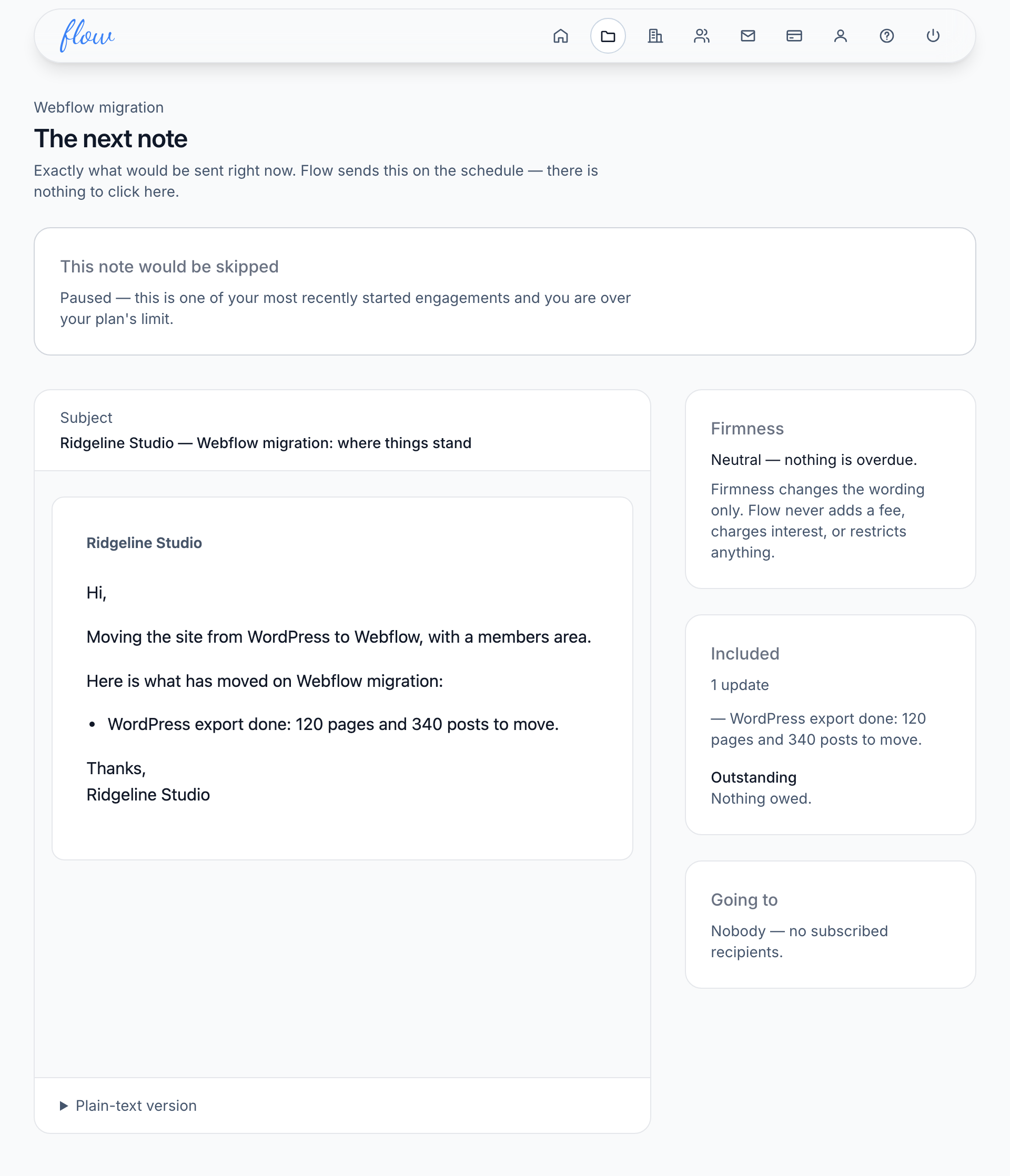
When the note wouldn't go out, a box at the top says "This note would be skipped" and gives the reason.
- Read the reason in the box.
- Find it in the table below.
- Make the change, then open the preview again to check.
| Reason | What to do |
|---|---|
| The engagement is not active | Change its status to Active. |
| The cadence is switched off | Tick "Send notes on a schedule" on the Cadence screen. |
| You are over your plan's limit | Change your plan, or change another active engagement's status. |
| No recipients have been added | Add a recipient on the Cadence screen. |
| Everyone has unsubscribed | If they used the stop link, ask them to resume. |
| The mail provider has stopped delivering | Add a working address as a new contact, then add it as a recipient. |
| Nothing has moved and nothing is owed | Nothing needs fixing. Add an update when something moves. |
There's no send button
You can't send a note from the preview, or from anywhere else in Flow. Notes go out only on the schedule. That way a client still hears from you on a busy week.
To change when the next note goes, change the schedule.
Related
-
How reminders get firmer
Neutral, firm at 14 days overdue, final at 30. Never a fee.
-
When notes go out
Set how often each client gets a note, and who receives it.
-
Updates
Tell the client what moved, in a sentence or two.
Still stuck? Email marshal.yung@gaiaco.io.